No dashboard
It runs where you are browsing
There is no separate app to open and no project to create. Install it, and Amazon's own pages carry the data.
Chrome extension · Amazon product research
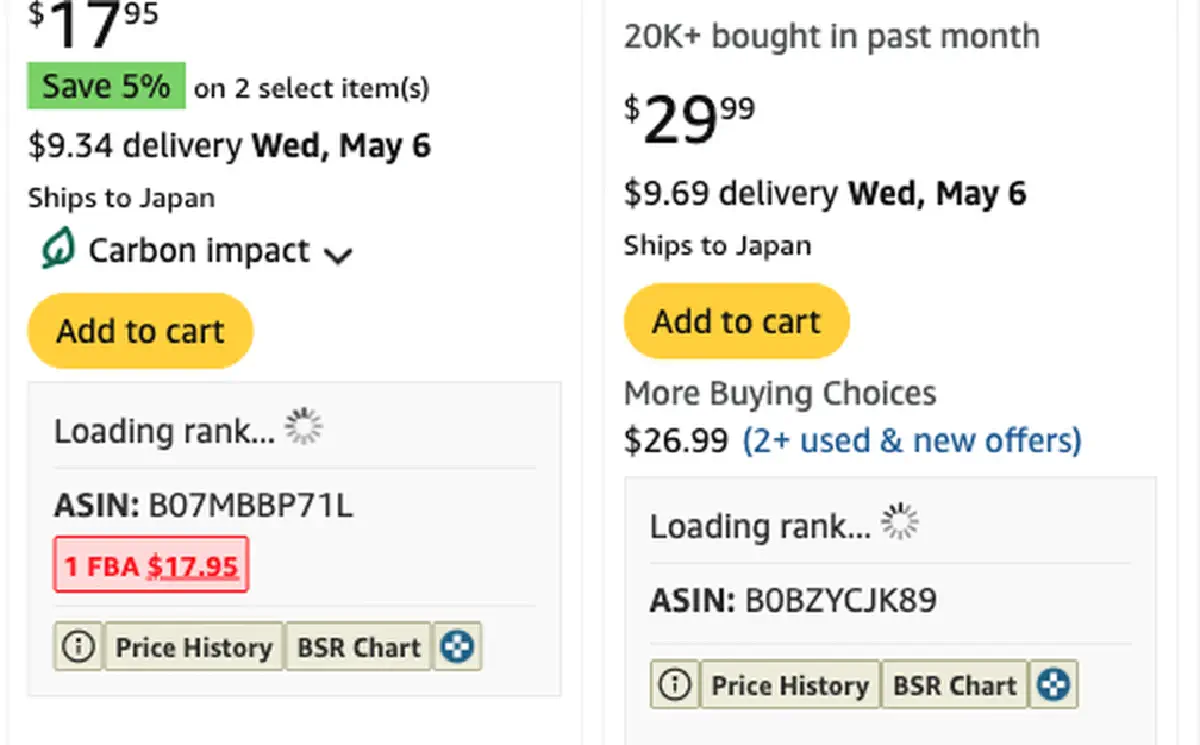
AMZBase puts the ASIN, the sales rank, the FBA seller count and the Buy Box price right under every Amazon search result — plus one click through to price history on CamelCamelCamel, or the same product on Alibaba, AliExpress, eBay and Google. Free, and it has been free since 2020.
Add to Chrome — it's free What it costs
22 Amazon marketplaces · One Chrome permission (storage) · Version 1.2.3
storage. It reads Amazon pages you open; it asks for nothing elseEvidence
A close-up of the block from the same live amazon.com search for stainless steel water bottle, running the shipping build (1.2.3). Nothing here is a mockup, and nothing is redrawn — it is Amazon's own card with our four lines added.
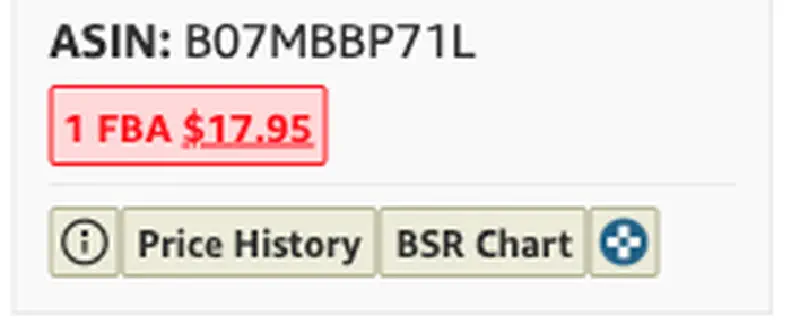
The block appears on search results, category pages and product pages alike — anywhere Amazon shows a product on one of the 22 supported marketplaces.
Why this one
AMZBase is deliberately small. It does the lookups you were going to do by hand anyway, in the place you were already looking.
No dashboard
There is no separate app to open and no project to create. Install it, and Amazon's own pages carry the data.
One permission
storage, and Amazon hosts onlyIt requests a single Chrome permission and the 22 Amazon domains it works on. Open it anywhere else and it does nothing, because it cannot read anything there.
Links out
Price history goes to CamelCamelCamel; sourcing goes to Alibaba and AliExpress; comparison goes to eBay and Google. AMZBase does not pretend to replace them.
What it will not tell you: revenue estimates. Nothing on a public Amazon page supports that number, and a made-up one is worse than a missing one.
In use
There is no setup step. The first search after installing already has the data.
From the Chrome Web Store, on Chrome or any Chromium browser.
Any of the 22 marketplaces — the extension follows the site you are on.
ASIN, rank, FBA seller count and Buy Box appear under each result.
Price History for the CamelCamelCamel chart, or the sourcing links for the same product elsewhere.
Pricing
AMZBase has no paid tier, no trial and no account. It carries a small sponsored placement in its sidebar, which is how a free tool stays maintained — you will see it, and now you know what it is.
AMZBase
$0 free, no account
The whole tool, on all 22 supported Amazon marketplaces.
Need keywords too?
$0 separate free extension
Amazon Suggestion Expander turns the 10 autocomplete suggestions into 114–117 real search terms.
Both tools are made by the same two-person shop behind amzbase.com. Neither one asks for an account to do its main job.
Before you install
Short answers, including the ones that are a no.
Yes. AMZBase has been free since 2020, there is no paid tier on it, and nothing expires. It carries a sponsored placement in its own sidebar.
No. There is no sign-up and no login screen; install it and use it.
Twenty-two: .com, .co.uk, .de, .fr, .it, .es, .nl, .pl, .se, .be, .ca, .com.mx, .com.br, .com.au, .co.jp, .sg, .in, .ae, .sa, .eg, .com.tr and .cn.
No. It shows what an Amazon page actually contains — ASIN, rank, seller counts, Buy Box — plus links to charts. Revenue estimates are guesses dressed as data.
It reads the Amazon pages you open, in your browser, to find the product identifiers it displays. It requests one Chrome permission (storage) and access to Amazon domains only.
CamelCamelCamel. The buttons open the chart for that exact ASIN — the extension does not maintain its own price database.
One install, and the number you were about to select-and-copy is already on the page — on every result, on 22 Amazon marketplaces.
Add to Chrome — it's free Browse the other tools
AMZBase is not affiliated with Amazon, CamelCamelCamel, Alibaba, AliExpress or eBay.