Disclosure: This article contains affiliate links — we may earn a commission at no extra cost to you. This does not affect our rankings or conclusions.
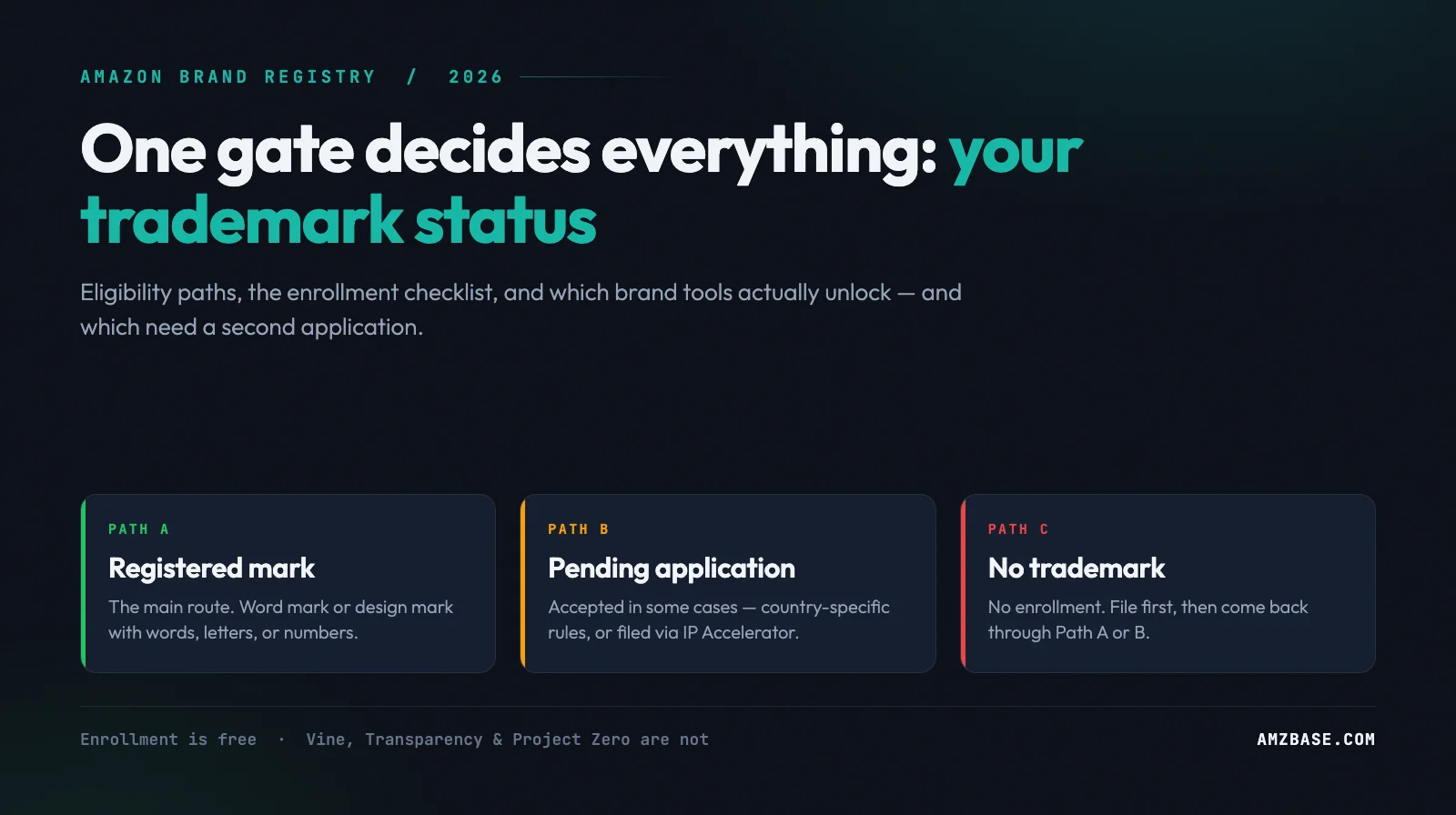
Amazon Brand Registry is a free program, and the gate to get in is a trademark. Amazon states two basic requirements: a logo with your brand name permanently affixed to your products or packaging, and “a pending or registered trademark for your brand name or logo that’s issued by the designated government trademark office of a country with a corresponding Amazon store” (checked 2026-07-25). Everything else — A+ Content, Vine, Transparency, Project Zero, Brand Analytics — sits behind that gate, and several need a second application after you’re through it.
This guide runs the gate first, then the enrollment checklist, then an honest matrix of what enrollment does and does not hand you. Every claim was checked against Amazon’s own pages on 2026-07-25 — one of which has moved: brandservices.amazon.com now redirects to sell.amazon.com/brand-registry.
Gate 1 — Which Trademark Path Are You On?
Most rejected applications fail here, not at the paperwork stage. Find your row first.
| Your situation | Can you enroll? | What to do next |
|---|---|---|
| Active registered trademark from an accepted government IP office | Yes — the main path | Gather the checklist below and enroll |
| Pending trademark application | Yes — Amazon lists it alongside a registered mark, without qualification | Have the application number in the exact format the IP office issued it |
| Pending trademark registration | Sometimes — “in some cases,” subject to country-specific requirements | Check the country-specific requirements page (login required) before you rely on this route |
| Pending application via Amazon IP Accelerator | Yes — the path Amazon names explicitly | Your provider tells you when you’re ready to enroll |
| No trademark at all | No | File one first; IP Accelerator connects you with vetted IP law firms |
| You resell someone else’s brand | No — the brand owner enrolls | Ask the brand’s Administrator for the Reseller selling role |
The pending question is the most confused point here, so use Amazon’s own language. The landing page: “You must have an active, registered trademark or a pending trademark application… In some cases, you may also enroll with a pending trademark registration. See country-specific requirements (login required).” The requirements article: “you can enroll in Brand Registry with a pending trademark application filed through Amazon IP Accelerator,” whose brands “get faster access to Brand Registry benefits… while their trademark application is pending” (checked 2026-07-25).
Read those two sentences closely, because Amazon uses two different phrases. A pending trademark application is listed unconditionally, alongside a registered mark. A pending trademark registration is the one carrying “in some cases” and the country-specific caveat. Amazon never defines the difference between the two phrases on its public pages, and it does not publish the list of accepted trademark offices there either — both sit behind the country-specific requirements page, which needs a Seller Central login. Verify your own office there rather than trusting a third-party list. What is unambiguous is that a pending application filed through IP Accelerator is named as a working route. IP Accelerator itself is a referral layer, not a law firm: “Amazon doesn’t charge a fee to connect you with service providers… you work with and pay them directly,” at pre-negotiated rates covering one brand in one class of goods or services.
Gate 2 — Does Your Mark Itself Qualify?
Passing Gate 1 is not enough. The mark must be the right type and match what you type into the form.
- Accepted mark types. “The trademark for your brand must be in the form of a text-based mark (word mark) or an image-based mark with words, letters, or numbers (design mark).” A purely figurative logo is not on that list.
- Exact text match. “Your trademark text must match the brand name on your Brand Registry application.” Amazon’s example: a mark registered as “Buy with Prime” is not approved against an application reading “BuywithPrime.” Spaces and symbols matter; capitalization differences are accepted.
- Image marks need the image, not the certificate. Upload an exact copy of the image as it appears on the record — Amazon explicitly says not to upload the full trademark certificate there.
- You must be the owner. Applications must be submitted by the entity that legally owns the mark. An authorized agent does not apply on the owner’s behalf; the owner enrolls, then adds the agent as an additional Brand Registry user.
Gate 3 — Do Your Product Photos Pass?
This is the quiet rejection reason, and it is a physical-goods problem you cannot fix in Photoshop. Amazon requires an image of your brand name permanently affixed to the product or packaging, and defines that narrowly (checked 2026-07-25):
- Counts as permanent: printing, sewing, laser etching, engraving — applied during production.
- Does not count: stickers, labels, stamps, and tags, “since they can be easily added or removed after production.”
- Also rejected: stock images, digitally altered images, and computer-generated mockups.
If your inventory is sticker-branded, fix that at the factory on the next run before applying — a mockup burns an application cycle.
The Enrollment Checklist
Collect all of this before you open the form:
- Your brand name in the exact format it appears on the trademark record
- Your logo image exactly as it appears on the record (image-based marks only)
- Your trademark or pending registration number, in the exact format the issuing IP office provided
- The product categories your brand should be listed in
- An image of the product or packaging clearly showing the permanently affixed brand name, plus a standalone logo image
- Your brand’s website and distribution information, if applicable
Then the five steps Amazon documents:
- Create the Brand Registry account with the same credentials as your Seller Central or Vendor Central login — that is what links the two. Then click Enroll a new brand.
- Provide brand information — trademark details, brand name, logo, product categories. You may be asked for supporting documents such as the registration certificate.
- Submit product photos showing the brand name on the product or packaging.
- Verify your identity. Amazon may request manufacturing or distribution information to confirm you are the rights owner.
- Submit. Amazon verifies ownership by contacting a public contact listed on your trademark registration. That person receives a verification code and passes it to you; you send it back to complete enrollment.
Plan for step 5: if your record lists an attorney or filing agent as the public contact, the code goes to them — tell them it is coming. Amazon’s public pages do not state a standard approval turnaround (checked 2026-07-25), and this hand-off usually sets the pace.
You do not need a selling account to enroll. Amazon states a brand can take protection benefits “even if you don’t sell directly in the Amazon store” — you lose A+ Content and Stores, but keep Report a Violation.
What Amazon Brand Registry Actually Unlocks (And What Needs a Second Application)
This is where most brand-registry guides oversell. Enrollment unlocks eligibility; several programs then run their own gate. Amazon says so directly: after enrolling, “each tool has its own access requirements” (checked 2026-07-25).
| Tool | What it does | Beyond Brand Registry, you also need | Cost |
|---|---|---|---|
| A+ Content | Enhanced detail-page modules: images, video, comparison charts, Brand Story | Professional account and a Brand Representative or Reseller role (or generic products) | Free for eligible sellers |
| Brand Stores | Multi-page branded storefront | A selling role | Free |
| Sponsored Brands / Sponsored Display | Brand-level CPC ads | A selling role | Ad spend |
| Amazon Vine | Up to 30 reviews from Vine Voices | Professional account, a selling role (or generic products), FBA listing with fewer than 30 reviews | $0–$200 per parent ASIN |
| Brand Analytics | Search-term, demographic and behavioral data | Brand Representative role only — Reseller does not get it | Free |
| Transparency | Unique serial codes verifying every unit | Separate enrollment using your Brand Registry credentials, an active, registered trademark (a pending one does not qualify), the “rights owner” role, and a GTIN for each product | $0.01–$0.05 per code |
| Project Zero | Self-service counterfeit removal + automated blocking | An active registered mark per store, a six-month Report a Violation record at 90%+ acceptance, then enrollment and a 10-minute training | Free (codes billed separately) |
| Report a Violation | Report suspected IP infringement | Nothing extra — works without a selling account | Free |
| Manage Your Experiments, Virtual Bundles, Subscribe & Save, Brand Tailored Promotions | Listing tests, bundles, subscriptions, targeted offers | A selling role; some tools in this group are restricted to Brand Representative — check each tool’s own requirements | Free |
Three rows deserve their own note.
Vine is not free past two units. Amazon prices Vine per parent product by the units you make available, with no extra cost for child products: up to 2 units $0, 3–10 units $75, 11–30 units $200 (US; other stores CAD 100/240, GBP 60/140, EUR 70/170, JPY 10,000/22,000). You are not charged until 30 days after enrollment and after your first review publishes, and not at all if no review arrives within 90 days. New sellers enrolling a brand currently get a $200 Vine credit (checked 2026-07-25). For a break-even formula and which SKUs are worth enrolling at each tier, see our Amazon Vine ROI guide.
Transparency charges per code, not per subscription. Amazon’s tiers: $0.05 per code for 1–1,000,000 codes, $0.03 for 1,000,001–10,000,000, $0.01 above that, with volume resetting annually on your account creation date (checked 2026-07-25). Five cents a unit is a real margin decision on a low-ASP product, not a checkbox.
Project Zero is earned, not granted. It is the one program a new enrollee cannot reach on day one. Amazon requires that you be the rights owner of a registered mark and that you have “used the Report a Violation tool to report suspected registered trademark infringement within the last six months and have at least a 90% acceptance rate on those reports,” plus a policy-compliant history of using Brand Registry. You qualify by filing accurate reports the ordinary way first. Access then stays conditional: brands “must maintain an accuracy rate of at least 99% in order to maintain access,” and the tool “should only be used to remove counterfeit listings.” It is free, and Amazon lists availability in 22 countries (checked 2026-07-25).
Roles: Who Sees What After You Enroll
Brand Registry splits permissions into two sets; mixing them up is why teams end up with the wrong access.
Protection roles (Brand Registry accounts, IP tools):
- Rights Owner — auto-assigned to the trademark owner on enrollment; gets Report a Violation and other protection benefits.
- Administrator — also auto-assigned to the owner; the only role that can assign and update roles. Amazon recommends having more than one.
- Registered Agent — authorized third parties reporting IP violations for the brand; Report a Violation only.
Selling roles (selling accounts, listing and marketing tools):
- Brand Representative — first-party sellers employed by the brand. Auto-assigned to the Seller Central account when the owner used the same credentials for both. Unlocks the full Brands menu, including Brand Analytics.
- Reseller — authorized third parties such as distributors. Unlocks selling benefits on a limited basis and does not grant Brand Analytics. Give an agency or distributor this role unless you mean to hand over your search-term data.
After Approval: Turning the Badge Into Actual Protection
Enrollment is a permission set, not a moat. The first month decides whether it was worth the trademark bill.
- Rebuild the listings you now control. A+ Content is the fastest visible win — start from the conversion-first listing framework rather than filling modules for their own sake. To benchmark rival A+ layouts, an asset exporter like ASINCrate pulls a competitor’s full image set and videos in one pass; note the free tier is single-image only, with bulk ZIP export behind a $9.99/month plan (checked 2026-07-25).
- Set up monitoring before you need it. Brand Registry does not tell you a hijacker attached to your ASIN. Alert products such as Helium 10’s Alerts watch for new sellers and Featured Offer loss; when it happens, work the listing hijacker removal playbook. The registered path there is far faster than the unregistered one — the most concrete payoff of enrolling.
- Run reviews deliberately. Vine puts up to 30 units in front of Vine Voices — reviews are not guaranteed, which is why Amazon does not charge you if none arrives within 90 days. Nothing gets you to 300. See the Amazon product reviews guide for the rules and the review request software comparison for tooling; AMZFinder is a second opinion worth a look — it scores seller tools on a fixed eight-dimension scorecard and groups them by workflow, review and feedback management among them (checked 2026-07-25). Registered brands also attract review manipulation — see the fake review checker guide.
- Protect the account behind the brand. An enrollment is worth nothing if the linked selling account goes down; read the account suspension appeal guide before you need it.
Common Mistakes
- Applying with sticker-branded inventory. The most common rejection, and the slowest to fix — it needs a new production run.
- Typing a “cleaned up” brand name. Match the record character for character; only capitalization is forgiven.
- Creating a separate Amazon login for Brand Registry. Reuse the Seller Central or Vendor Central credentials, or the accounts will not link.
- Assuming one enrollment covers every store. A single global account is correct, but you pick one trademark office at enrollment and add others after approval.
- Expecting Project Zero on day one. It needs a registered mark plus a six-month track record of Report a Violation filings at a 90%+ acceptance rate — you cannot buy or apply your way past that.
Frequently Asked Questions
Can I enroll in Amazon Brand Registry with a pending trademark?
Yes for a pending application, and it depends for a pending registration. Amazon’s public pages say enrollment requires “an active, registered trademark or a pending trademark application” — the application route is listed without qualification — and add that “in some cases, you may also enroll with a pending trademark registration,” subject to country-specific requirements behind a Seller Central login. The one pending route Amazon documents unconditionally is a trademark application filed through Amazon IP Accelerator, which Amazon says gives brands faster access to Brand Registry benefits while the application is pending (checked 2026-07-25).
How much does Amazon Brand Registry cost?
Enrollment is free — Amazon calls it “a free program that helps you protect and grow your brand, even if you don’t sell in the Amazon store.” The costs sit upstream (registering a trademark) and downstream (Vine fees, Transparency per-code fees).
What are the Amazon Brand Registry requirements for the trademark itself?
It must be a text-based mark (word mark) or an image-based mark containing words, letters, or numbers (design mark), issued by the designated government trademark office of a country with a corresponding Amazon store. The text must match your application exactly, and you need the registration or application number in the format the IP office issued it.
Do I need a selling account to enroll in Brand Registry?
No. Amazon states a brand can use protection benefits without selling directly in the Amazon store — you lose A+ Content and Stores, but Report a Violation and the protection tooling remain.
Does Brand Registry stop hijackers automatically?
No. It gives you faster, brand-owner-grade removal routes and feeds Amazon’s automated protections, but detection is still on you. The hijacker removal playbook walks the evidence and reporting sequence.
Conclusion
Brand Registry is one hard gate followed by softer ones. The hard gate is the trademark — the right type of mark, owned by you, matching your application text, on a product where the brand name is permanently affixed. Clear it and the program itself costs nothing. What follows is a menu, not a bundle: A+ Content and Stores arrive with your selling role, Brand Analytics only for Brand Representatives, and Vine, Transparency and Project Zero each sit behind their own application, price list, or track record. Plan the trademark first, budget the per-unit programs second.
Sources (all checked 2026-07-25): Amazon Brand Registry · Requirements for enrolling a brand · Guide to Brand Registry roles · A+ Content · Amazon Vine · Transparency · Project Zero · IP Accelerator